
ADE Week special 21—25.10.2026 Nobody Culture Audio — Yellow Night

All plugins
free.

For ADE week the whole Nobody Culture Audio suite is free — 5 effects and 1 synth, the same tools we use on the label's records. Follow @nobodyculture, drop your email, download.

See the 6 plugins
Free for
00Days
00Hrs
00Min
00Sec

Independent promo by Nobody Culture Audio. Not affiliated with or endorsed by Amsterdam Dance Event.

01 Start here

The
bundle

Everything in one installer. Continue → Install, done.

ADE Week · Free
NCA Complete Bundle — v1.0.0

6 plugins.
One signal.

The full Nobody Culture Audio suite in a single one-click installer: five mix effects and a hybrid FM synth, all sharing the same Liquid Glass interface, the same skins and the same sound.

AU · VST3 · StandalonemacOS 15+ · Apple Silicon~233 MB18 bundles in 1 click
€0during ADE Week
02 The suite

Six
tools

Hover a screenshot to see the Yellow Night skin. Every plugin ships with ORANGE, YELLOW NIGHT and a custom skin editor.

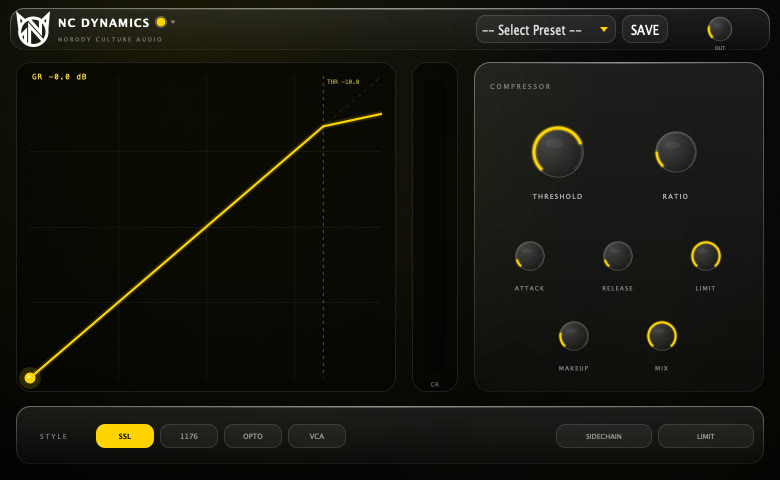
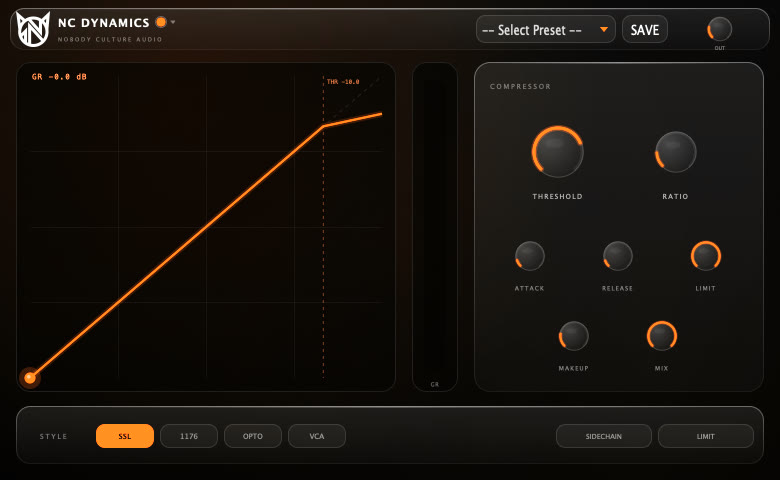
NC Dynamics interface
P/01Effect · Dynamics

NC Dynamics

SSL · 1176 · OPTO · VCA compressor + brick-wall limiter.

Four compressor characters in one box, each with its own detector and attitude — from the clean glue of a VCA bus to the fast bite of a FET. A brick-wall limiter sits at the end so nothing escapes.

  • 4 styles SSL · 1176 · OPTO · VCA
  • Limiter brick-wall, switchable
  • Sidechain external input
  • Display live transfer curve + GR meter
  • Mix parallel compression
  • Presets 15 factory + user · A/B
AU · VST3 · App · ~45 MB
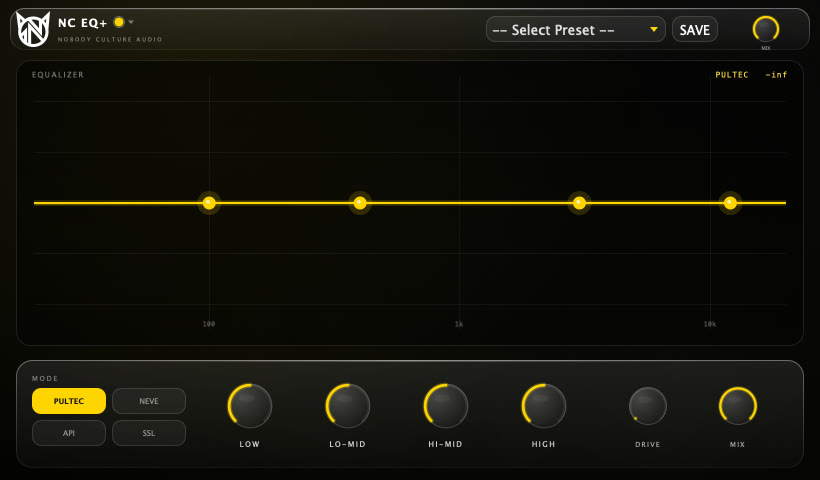
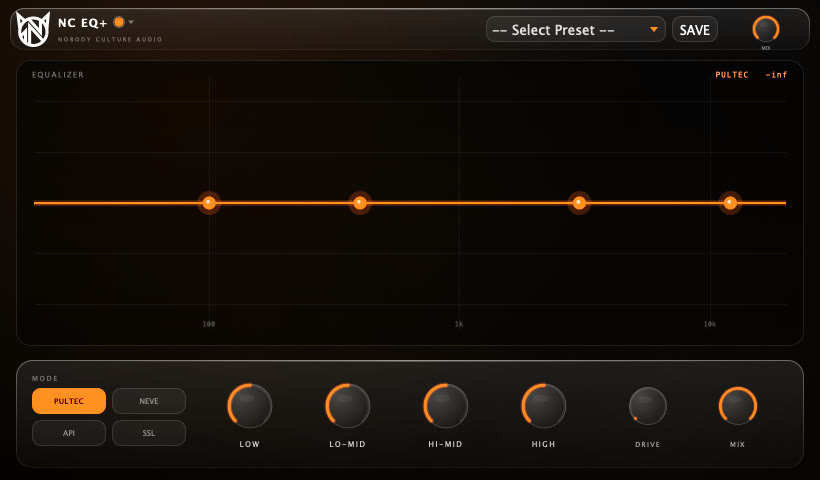
NC EQ+ interface
P/02Effect · EQ

NC EQ+

4-band console EQ — PULTEC · NEVE · API · SSL.

Four console souls behind the glass. Each mode moves the band frequencies, the curve shapes and the drive flavour — tube, transformer, punchy or clean VCA. Grab the nodes and draw the curve you hear.

  • 4 modes PULTEC · NEVE · API · SSL
  • Curve real EQ curve, draggable nodes
  • Q mouse wheel on any node
  • Character Pultec boost/cut trick, API proportional Q
  • Drive + Mix console saturation
  • Presets 10 factory + user · A/B
AU · VST3 · App · ~45 MB
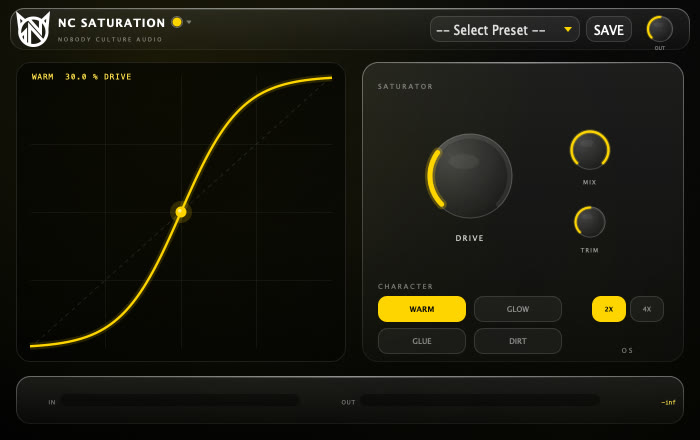
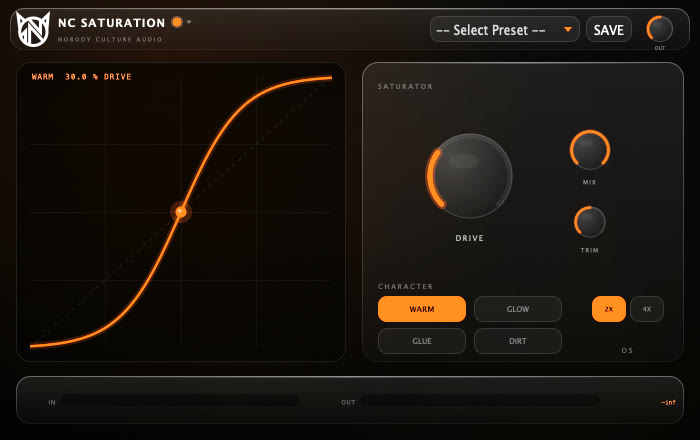
NC Saturation interface
P/03Effect · Saturation

NC Saturation

WARM · GLOW · GLUE · DIRT harmonic drive.

Four ways to put the harmonics back — from analog warmth to proper nastiness. Dial it in with drive, blend it in parallel, watch the curve bend in real time.

  • WARM tape — soft clip, transient squash, top roll-off
  • GLOW tube — asymmetric, even harmonics
  • GLUE console — cubic drive + stereo crosstalk
  • DIRT diode — aggressive, with safety limiter
  • Mix parallel blend · click-free mode switch
  • Presets 10 factory + user · A/B
AU · VST3 · App · ~45 MB
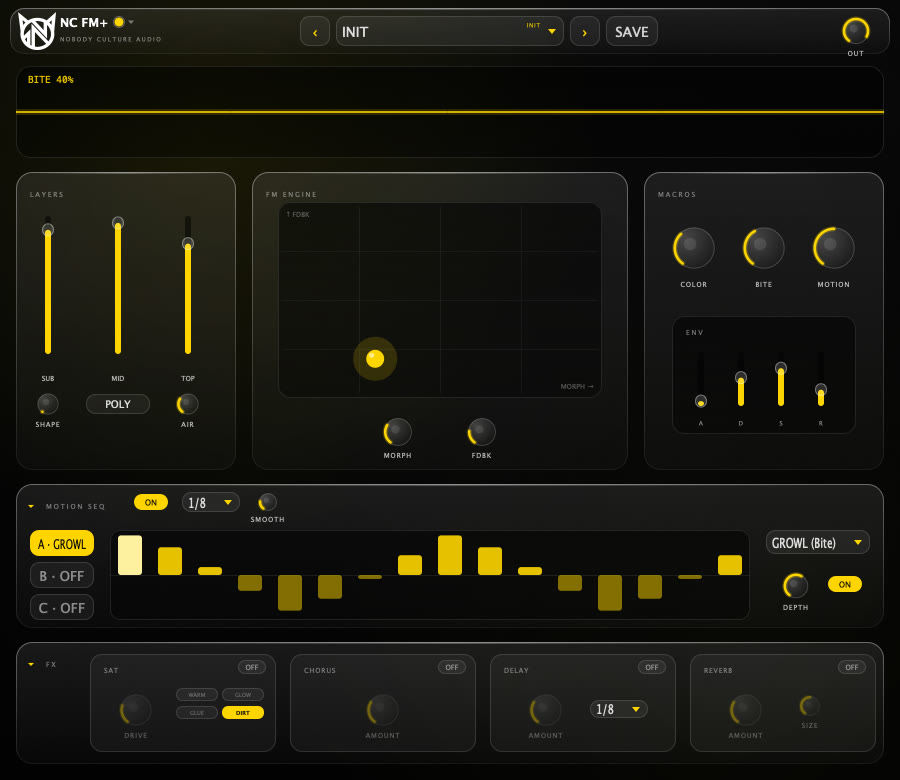
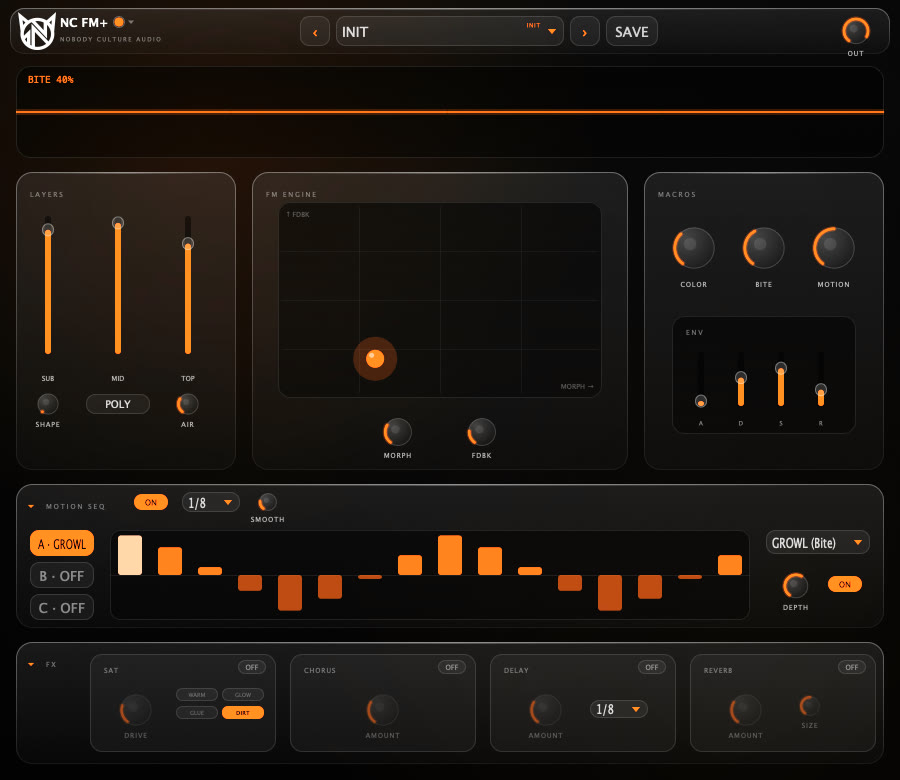
NC FM+ interface
P/04Instrument · Synth

NC FM+

Hybrid FM synth with motion sequencer.

FM at the centre, easy on the surface. Three layers — SUB, FM MID, noise TOP — four macros that do what they say, and a PRO view with every operator when you want to go deep. From 808s to growls, pads and plucks.

  • Engine 4-op FM · 8 algorithms · XY morph
  • Macros TONE · BITE · MOTION · SPACE
  • Views EASY for ideas, PRO for operators
  • Filter LP12 · LP24 · BAND · HP + unison ×7
  • Sequencer 16 steps × 3 lanes, host-synced
  • FX sat · chorus · ping-pong delay · reverb
  • Presets 60 — bass, 808, lead, pluck, keys, pad, FX
AU · VST3 · App · ~6 MB
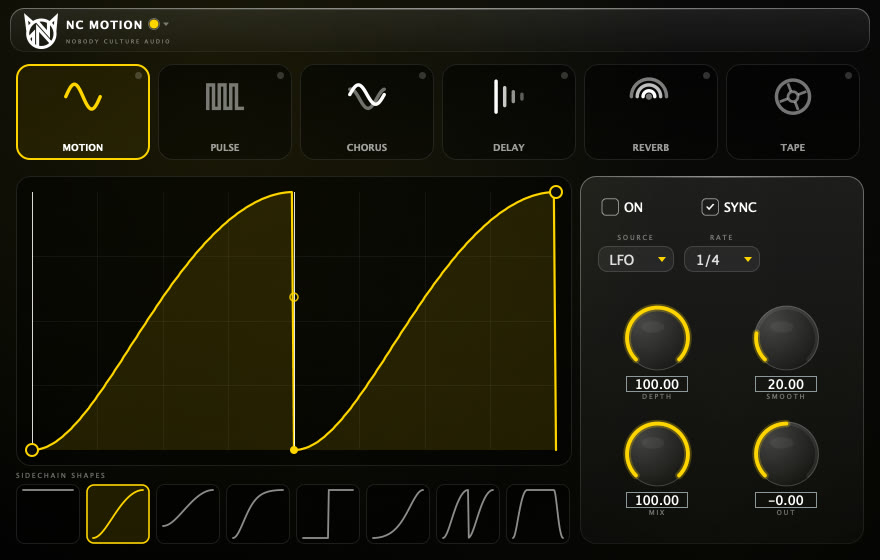
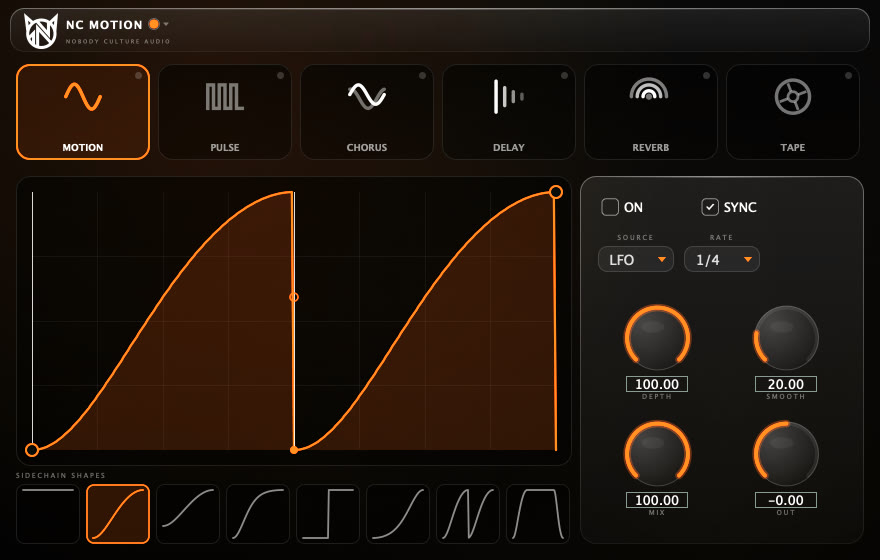
NC Motion interface
P/05Effect · Modulation

NC Motion

Motion LFO · Pulse gate · Tape varispeed.

Make anything move. Sidechain-style volume shapes you can draw by hand, rhythmic gates and a tape engine that slows, speeds and stops — chained, synced to your BPM.

  • Motion Classic · Soft · Punch · Sine or draw your own
  • Trigger LFO or external sidechain · sync or free Hz
  • Pulse Gate · Stab · Swell · Sine · Tri
  • Tape varispeed ±24 st · tape stop · wow & flutter
  • Chain Motion → Pulse → Tape
  • Next chorus, delay, reverb modules in a future update
AU · VST3 · App · ~45 MB
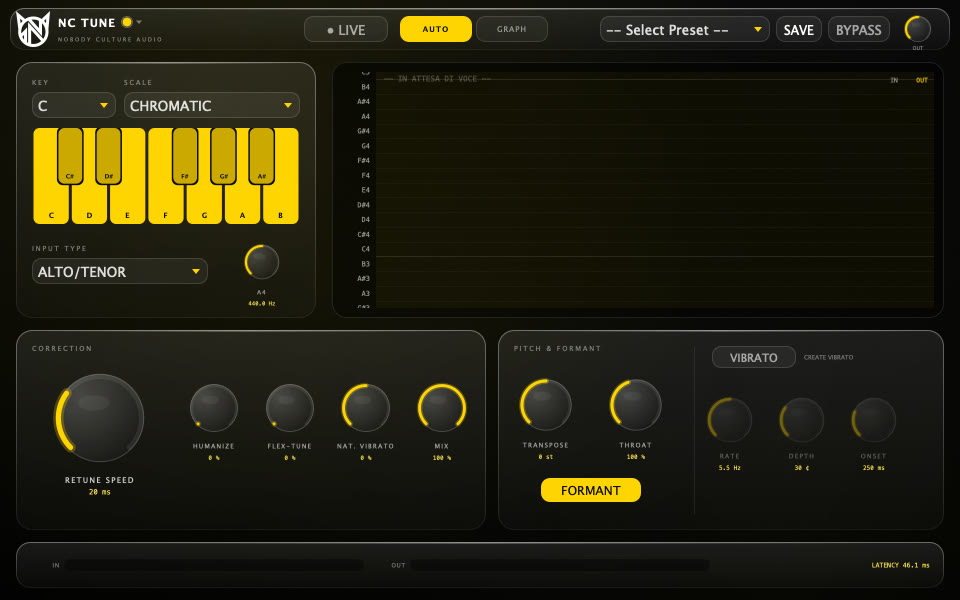
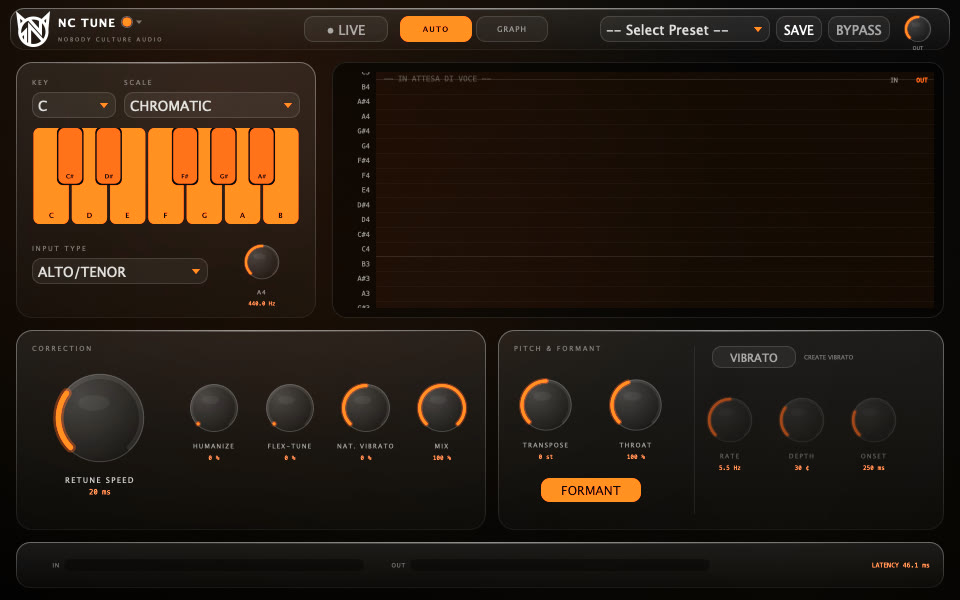
NC Tune interface
P/06Effect · Vocal

NC Tune

Vocal pitch correction — AUTO + GRAPH note editor.

From transparent pop tuning to the hard trap effect, in real time. Switch to GRAPH to capture the take and move every note by hand — pitch, drift, vibrato, formant and gain. Formants stay natural.

  • AUTO retune · humanize · flex-tune · natural vibrato
  • Scales 12 scales + custom keyboard
  • GRAPH note editor — drag, snap, split, merge, undo
  • LIVE low-latency monitoring for tracking
  • Voice transpose ±24 · throat · create vibrato
  • Presets 13 — Natural Pop to Hard Tune Trap
AU · VST3 · App · ~46 MB
03 Install

60 sec
install

Our installers aren't notarized by Apple yet, so macOS asks you to approve them once. Here's how.

  1. Open the .pkgDouble-click the installer you downloaded. macOS says "Not Opened" — click Done.
  2. Privacy & SecurityOpen System Settings → Privacy & Security and scroll down to Security.
  3. Open AnywayClick Open Anyway, confirm with your password. It appears for about an hour after the first try.
  4. Install & rescanContinue → Install. Restart your DAW and rescan plugins. Done.
  5. Terminal shortcutxattr -d com.apple.quarantine ~/Downloads/NCA-Complete-Bundle-1.0.0-macOS.pkg
SystemmacOS 15 Sequoia or later
ChipApple Silicon (M1 and later)
FormatsAU · VST3 · Standalone app
WindowsNot available yet
04 FAQ

Good
questions

Is it really free?
Yes. During ADE week every plugin and the complete bundle are free. We only ask you to follow @nobodyculture and leave your email so we can tell you about updates and new drops.
Which DAWs does it work in?
Any macOS host that loads AU or VST3 plugins. Each plugin also ships as a standalone app.
Windows or Intel Mac?
Not yet — this release is built for Apple Silicon Macs on macOS 15 or later. Leave your email and you'll be first to know when other platforms land.
Why does macOS block the installer?
The installers aren't notarized by Apple yet. Approve them once from System Settings → Privacy & Security → Open Anyway (see the guide above). After install the plugins open normally.
Can I change the colours?
Yes. Every plugin has the ORANGE and YELLOW NIGHT skins plus a CUSTOM editor with a contrast check. Skins can be exported and shared as .ncskin files. Click the plugin name in the header to switch.
How do I uninstall?
Delete the plugin from /Library/Audio/Plug-Ins (or ~/Library/Audio/Plug-Ins if you installed "just for me") — Components for AU, VST3 for VST3 — and the app from /Applications.